Most architects did not join this profession to spend their weeks sitting in traffic or rushing from one site to another. Yet that is what many end up doing.
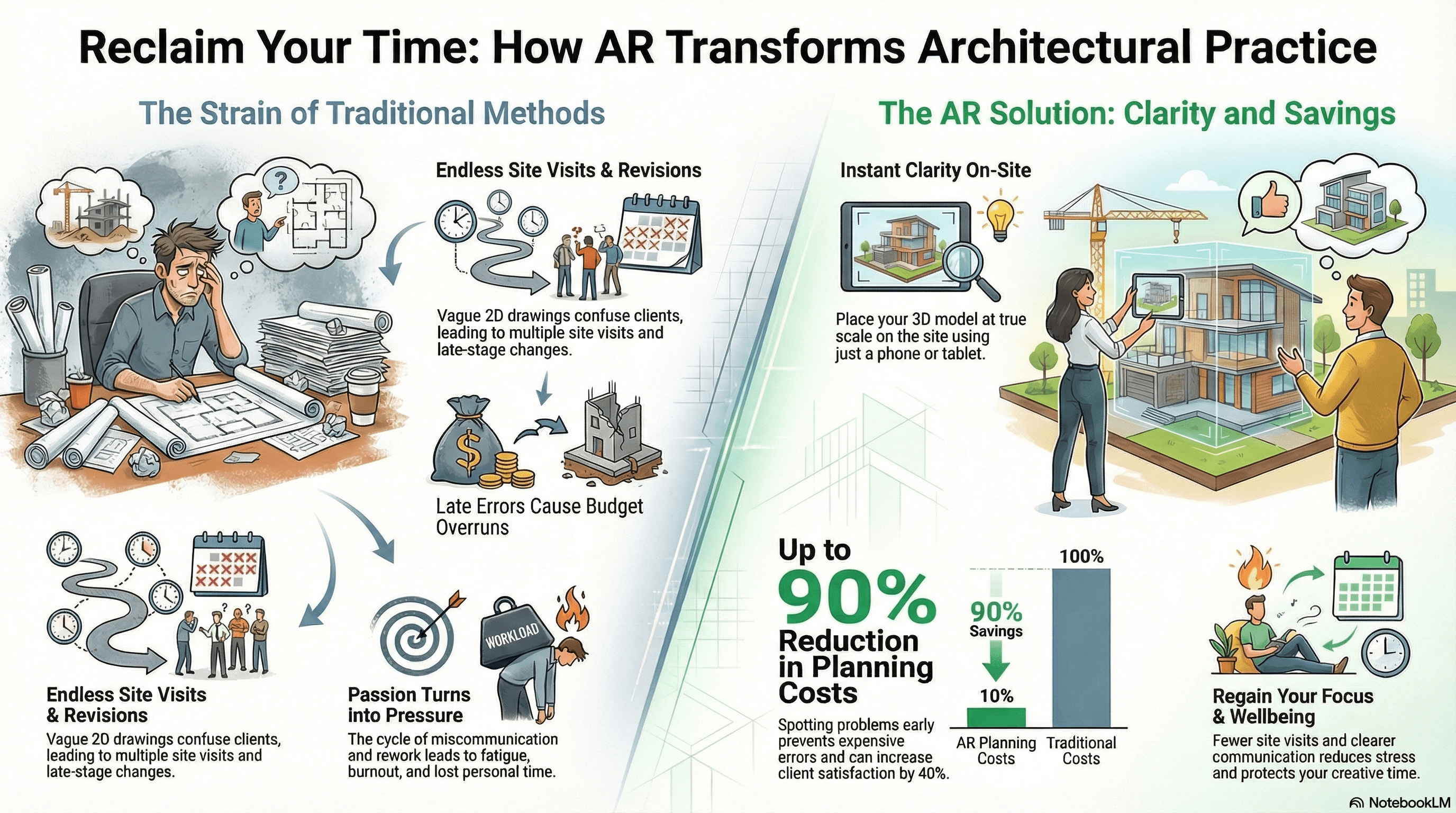
Site visits multiply as clients struggle to understand drawings. Changes appear late and cause stress. Weekends disappear because work keeps spilling into personal time. It becomes a cycle where passion turns into pressure.
AR site visualisation is stepping in as a smarter way to work. It shows clients the proposed building right on the actual site through a phone or tablet.
They can walk around it, look inside it and understand the design faster. The biggest win is not that the tech looks cool. It is the time and energy saved for architects who need more space to think and create.
This guide explains what AR brings to UK architects today. It covers real savings, practical setup steps, wellbeing benefits and limitations you should know.
You will see how a simple shift in how you present designs can protect your schedule and strengthen your work.
Many architects still think AR is futuristic or too technical. The truth is very different. It is already used in the UK and it works with the tools you already have.
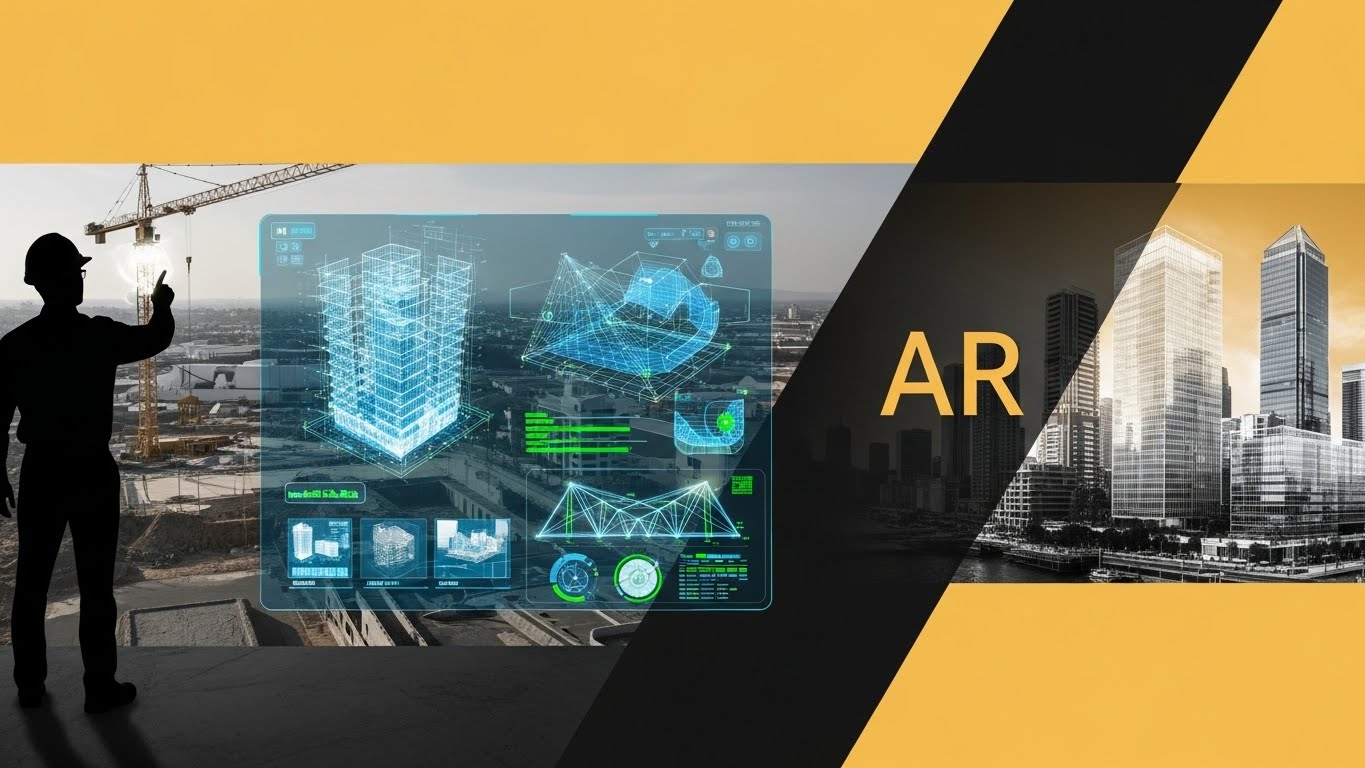
You take your 3D model from software like Revit, SketchUp or Rhino and load it into an AR platform. When you stand on the site, the design appears at true scale in its exact position. It anchors to the ground and stays steady as everyone walks around it.
Clients no longer have to imagine how high a wall will be. They see it. They see shadows, spacing between buildings and how trees, roads and boundaries interact with the design.
This makes decision-making clearer and faster. It avoids moments where a client nods "yes" during planning but changes their mind once the build starts.
Architects often treat the strain of traditional processes like it is part of the job. But every extra site visit is time taken from design focus or family life.
Every misunderstanding becomes another revision cycle that bends schedules out of shape. The bigger issue is emotional. Fatigue grows when you repeat the same explanations and still do not get alignment.
Late-found errors become panic situations. Even one mistake with levels or drainage can lead to hours of crisis work. AR reduces these problems early, long before they become fire-drills that ruin your week.
VR is amazing for immersive walkthroughs inside a project. It helps clients feel the interior atmosphere but removes the context of the real world outside the walls.
Renderings are strong for marketing materials but they freeze a single viewpoint.
AR joins the real environment with the design.
You see scale properly. You understand form and massing. The building feels part of the neighbourhood, not just a picture on a screen. That grounding makes the experience more believable and more useful for decision-making.
There are already results from UK and global practices. Industry data shows that AR and VR tools can reduce pre-construction planning costs by up to 90 percent because problems get spotted early instead of during late-stage reviews.
Client satisfaction has climbed by 40 percent in some firms because clients finally feel in control of choices they make.
Better communication also means fewer revisits to the design. Saving even 5 to 10 hours per project adds up across the year. Preventing just one costly construction error can pay for the whole AR setup.
When you think about the impact across multiple projects, AR becomes one of the few tools that protects both budgets and wellbeing.
The biggest fear among architects is that AR will add complexity. The real story is simpler. It builds on your current software workflow.
Most UK architects can begin with tools they already know. Revit, SketchUp and Rhino models can be exported easily into AR apps.
ARki is a great starting point because it is simple, supports anchored placement and works well on phones and tablets.
ARCore and ARKit give more advanced geospatial control in cities like London where mapping coverage is strong.
Unity is available for studios that want advanced interactivity. But most architects never need to go that far. Your standard mobile device will handle AR smoothly with no need for extra hardware.
Week one focuses on choosing a pilot project, installing one AR app and placing your first test model. The time commitment is light, usually around five to seven hours while you also do normal work.
The second week includes a real site walk-through and accuracy testing to compare model placement with real elements.
This takes a few hours spread across days. By the third week, you run your first presentation with a client and practise guiding them through the experience.
In total, 12 to 17 hours is enough to gain a level of skill that feels comfortable. The payoff begins as soon as your second project adopts AR.
Accurate placement makes the difference between a fun novelty and a reliable professional tool. GPS on its own can be off by several metres in busy cities. That kind of shift would break the trust of anyone looking at the model.
The solution is setting image anchors on fixed structures like corners of buildings or known features on site. In areas with Street View coverage, Visual Positioning Systems bring accuracy to centimetre level. This attention to anchoring builds confidence and avoids confusion.
Start by explaining what they are about to see and how it reflects real scale. Move slowly so clients can take in the information. Encourage them to ask questions as they walk the site.
Some may worry about accuracy or want to view alternative layouts.
Being ready with simple answers shows mastery. Always have a back-up plan such as a tablet in case lighting conditions change or devices lose signal.
Every tool has limitations. Knowing them early saves you trouble and embarrassment.
Technical issues appear most in dense areas where tall buildings interrupt satellite readings. This is why image anchors are important. Weather can interfere with visibility outdoors, so flexible meet times help.
Some clients may not own supported devices, so bringing your own equipment protects the experience.
The learning curve is short. Most architects reach a helpful skill level within a week or two. Teams can be onboarded in a matter of days through short training sessions.
There are even free online resources from AR technology groups in the UK.
Some project types are not ideal for AR. Heritage sites often have access rules that do not allow technology use. Remote areas may lack accurate mapping.
A rare few clients simply prefer printed drawings. Using the right tool at the right moment shows strong judgement and improves trust.
A modern workflow must care about the person doing the work. Architects have high responsibility and long hours. Stress builds up quietly over time. AR acts as a buffer by removing many avoidable burdens.
Site visits often break the rhythm of focused work. They force travel, create delays and take energy you could use on creative tasks. When AR replaces unnecessary visits, architects regain evenings and weekends that were once lost.
Clients feel more secure when they understand what they see. That security stops the endless cycle of anxious emails and revisions.
With fewer rushed changes and fewer mistakes during construction, architects feel calmer and more in control of projects.
When every project feels lighter than before, you can enjoy the craft again. You lead with confidence because you know problems are tackled early. Stronger workflows help teams stay engaged and clients become happier partners, not obstacles to progress.
You do not need a large strategy to begin. Choose one live project. Export the model. Install one AR app. Then book a presentation with the client that shows the design where it belongs.
This is the moment everything becomes clear. Clients see. Decisions speed up. Your time opens up. You can stop reacting and start leading the project again.
AR is not replacing architects. It is helping them work smarter and live better. The sooner you take that first step, the sooner you move toward a practice where time, clarity and creativity return to the centre of the job.